After building recruiting teams a few times, I kept seeing the same problem long before interviews started. A role would open, a hiring manager would send over a list, and that list would already mix real needs with habits, preferences, and half-remembered pain from past hires. Once that happened, the rest of the process got harder than it needed to be. Sourcing widened in the wrong places. screens drifted into keyword checks. Debriefs turned into arguments about standards nobody had defined at the start.
I wrote this because junior and mid-level recruiters are often expected to fix that mess without being shown a practical way to do it. We are told to "align with the hiring manager" and "calibrate early," but that advice stays vague. What actually helps is more concrete: separating must-haves from nice-to-haves, spotting proxies before they harden into filters, translating fuzzy labels like "startup experience" or "AI experience" into real capabilities, and then turning those capabilities into assessment criteria the team can use consistently.
That is what these sections focus on. We start with why requirement lists go wrong so early, then move into a simple way to sort signal from wishful thinking. From there, I walk through the requirements prioritization matrix I use, how I turn those priorities into screening and interview criteria, and how I handle disagreement without letting intake become a circular debate. The final section gives you a working playbook you can take into your next kickoff.
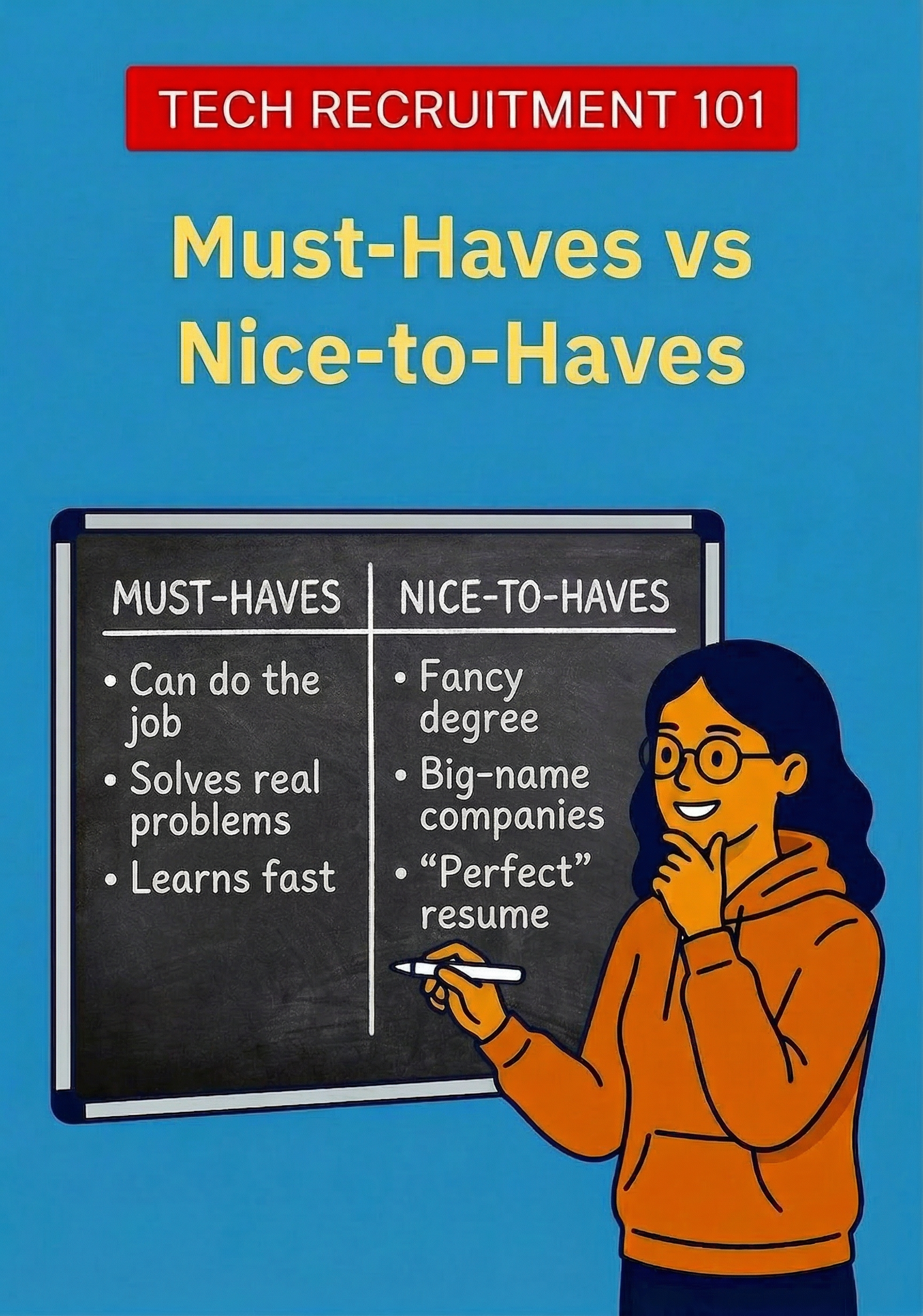
This mini-book is part of the Tech Recruitment 101 series, where I try to make the messy parts of recruiting easier to run in real life. My goal here is simple: help you leave intake with a short, defensible set of criteria, clear calibration questions, and a process that tests what actually matters for the job.
Why job requirements go wrong so early
A tech role opens, and the requirement list arrives already swollen. Some items came from the last job description. Some came from a manager’s memory of one excellent hire. Some came from a problem the team had months ago and never wants to repeat. By kickoff, all of it sits in one list and wears the same label: required.
That is where the trouble starts.
Technical hiring makes this worse because teams often describe people through tools instead of capabilities. A manager asks for Kubernetes (a tool for running and managing applications across servers), Terraform (a tool for setting up infrastructure), Python (a programming language), Amazon Web Services (AWS, a cloud platform), and machine learning (a technical area focused on systems that learn patterns from data). Another asks for startup experience, strong product sense, and “someone who can just figure things out.” Each item may sound reasonable on its own. Together, they tell you almost nothing about what the person must do well in the job.
Most bad requirement lists mix four different things: core capability with team preference, present need with future hope, business risk with personal scar tissue, and real skill with proxy. “Can build reliable backend services” is not the same as “has used our exact framework.” Backend services are the behind-the-scenes systems that handle business logic, data, and requests from an app or website. A framework is a specific software toolkit or structure engineers use to build those systems. Someone may be able to design and run stable services in one framework and learn yours quickly. A team hiring one backend engineer should not quietly turn that into a wishlist for three future hires. Years of experience, degrees, brand-name employers, and “seniority” often stand in for actual ability. They feel efficient, but they blur the real question: what must this person be able to do after they join?
This matters more now because companies keep moving toward skills-based hiring. LinkedIn’s Future of Recruiting 2025 reports that 93% of talent acquisition professionals believe accurate skill assessment is crucial to improving quality of hire, and companies with the strongest use of skills-based searches are 12% more likely to make a quality hire. If the team cannot define the real skills early, sourcing gets noisy fast.
The damage shows up everywhere downstream. Sourcing gets confused because you do not know what to optimize for. Screening gets weak because recruiters test different things. Debriefs slow down because interviewers compare candidates against different standards. Candidates get rejected for gaps that were never defined at kickoff.
There is also a compliance angle here. The U.S. Equal Employment Opportunity Commission guidance on selection procedures makes the standard plain: selection criteria should be job-related and consistent with business necessity. Recruiters do not need to become employment lawyers, but we do need to notice when a requirement sounds ornamental rather than necessary.
AI makes this mess more visible, not less. Many teams now add “AI experience” by default. That may be valid. Stack Overflow’s 2025 Developer Survey found that 84% of respondents are using or planning to use AI tools in development, and 51% of professional developers use them daily. But “AI experience” can mean using coding assistants (tools that suggest or generate code while someone works, for example using GitHub Copilot to speed up routine coding), shipping AI features (putting AI-powered functions into a product, for example adding a summarization feature for users), evaluating models (checking how well an AI system performs, for example reviewing whether answers are accurate and useful), or building machine learning systems (creating the underlying AI-based systems, for example training a model to detect fraud). If the team does not specify which one matters, the requirement is just expensive decoration.
This is why requirement quality is one of the recruiter’s highest leverage points. Before sourcing starts, you can separate true must-haves from nice-to-haves, replace proxies with observable skills, and force vague terms into plain language. In my experience, one good intake conversation can save weeks of bad search and messy interviews. Spreadsheets do not cause the problem, to be fair. They just suffer publicly.
Separating signal from wishful thinking
Most hiring arguments do not start with disagreement. They start with blurry language. Someone says, “We need a senior backend engineer with startup experience, strong communication, AWS, and maybe some AI.” That sounds specific until you ask the only question that matters: which of those things must be true for this person to do the job well within a reasonable ramp-up period?
That is the line I use. A must-have is something without which the candidate cannot do the core job soon enough to meet the business need. If they can learn it in the normal ramp-up window, it is not a must-have.
A nice-to-have is useful but not required on day one. It may help someone start faster, need less support, or bring extra range, but it should affect prioritization, not eligibility.
In practice, I usually add a third bucket: trainable or contextual. The skill matters, but its importance depends on team setup, timelines, and what support exists after hire. Once you name that category, the room usually gets calmer.
| Category | Plain meaning | Question to ask |
|---|---|---|
| Must-have | Needed to do core work soon | Can they succeed without it? |
| Nice-to-have | Helpful but not required | Does it improve fit, not viability? |
| Trainable/contextual | Matters depending on setup | Can the team teach or absorb it? |
Once you have the buckets, translate vague requirements into capabilities. “Must have Go” may really mean “must be able to build reliable backend services.” Go is a programming language, and sometimes a team names it when the real need is broader engineering ability that could transfer from another language. “Must know Amazon Web Services” may really mean “can operate safely in a cloud environment.” “Startup experience” often means self-direction, speed, or tolerance for ambiguity. “Strong communicator” means nothing until you define the behavior: writing clear design docs, explaining tradeoffs to product managers, or running calm incident updates.
The same goes for domain background, management experience, and AI. A payments company may not need payments pedigree so much as comfort with messy edge cases and business stakeholders. A staff engineer role may need technical leadership, not formal people management. “AI experience” may mean building machine learning systems, shipping AI features, or simply using AI tools well and checking the output. For many roles, the real requirement is judgment, not AI enthusiasm.
The biggest mistake is treating proxies as requirements. A degree is a proxy. A famous employer is a proxy. Years of experience are often a proxy. Sometimes proxies correlate with capability. They are still not the capability.
This matters for quality and fairness. Skills-based hiring continues to grow, and degree filters are declining (TestGorilla). The Equal Employment Opportunity Commission also makes the standard clear: selection criteria should be job-related and consistent with business necessity (EEOC). That is not just legal hygiene. It is good recruiting.
When a manager says, “I want someone from a top company,” I translate. Do they mean code quality, scale, stakeholder management, or pace? Once you name the capability, you can decide whether it is must-have, nice-to-have, or trainable. That is our job. We do not just collect wish lists. We turn labels into usable criteria.
Building the requirements prioritization matrix
Once you have separated must-haves from preferences, you need a way to decide what deserves attention in the process.
I use a simple matrix. For each requirement, I map two things: how important it is to business results, and how easy it is to evaluate well. That tells you what belongs in outreach, what belongs in screening, what needs a structured interview, and what should stay out of the process until someone can define it.
I do not build this in a grand strategy workshop. I do it in a short working session with the hiring manager and, if possible, one strong interviewer. Forty-five minutes is often enough. If someone brings fifteen slides, I get nervous. Slides rarely debug hiring criteria.
Start by listing every requirement the team has named so far, including the fuzzy ones. Then take each item through the same calibration questions.
- What problem will this person solve first?
- What happens if they do not have this on day one?
- Can they learn it in the first few months?
- Have we hired people without it before?
- How would we actually test it?
Those questions force the team to move from preference to evidence. “Needs Kubernetes” becomes “must be able to debug containerized services in production.” In plain language, that means finding and fixing problems in live customer-facing systems that run in packaged deployment environments. That version is narrower, clearer, and testable.
Here is the matrix I use:
| Requirement type | What it means | Where to assess |
|---|---|---|
| High importance, easy to test | Core skill with clear evidence | Outreach, screen, interview |
| High importance, hard to test | Critical but needs structured proof | Interview loop, work sample, debrief |
| Low importance, easy to test | Useful but not decisive | Light screen or later-stage note |
| Low importance, hard to test | Usually noise or status signaling | Remove unless clarified |
The top-left box gives you your cleanest must-haves. These are the skills that matter soon and can be verified with reasonable confidence. The top-right box holds real requirements that need structured assessment, not a casual chat. The bottom-left box holds nice-to-haves. Keep them visible, but do not let them drive rejection. The bottom-right box is where fuzzy requirements go to face reality. If a requirement is not clearly important and no one can explain how to test it, it should not anchor a hiring decision.
This matrix also tells you how to run intake well. Your job is not to collect requirements like a court stenographer. Your job is to pressure-test them. The meeting usually improves the moment someone asks, “How would we know this in an interview?”
That question forces the team to match each real requirement with an assessment step. Some things belong in sourcing filters. Some belong in recruiter screens. Some belong in technical interviews. Some belong nowhere because nobody can evaluate them consistently.
When you finish the matrix, convert it into four outputs: outreach themes, knockout screens, interview focus areas, and debrief criteria. If a requirement does not appear in one of those places, ask why it is on the list at all.
Turning priorities into screening and interview criteria
A matrix is only useful if it changes how the team evaluates people. Otherwise it becomes a tidy document that everyone nods at and then ignores.
Take every must-have and assign it to one stage, one owner, and one proof point. If a requirement has no owner, nobody will test it well. If it has three owners, you will hear the same question three times and still miss something important.
Start with four questions for each must-have. What does this mean in real work? What evidence would show it? What is the cheapest reliable stage to test it? Who should own that test?
| Must-have | Best stage | Owner | Evidence |
|---|---|---|---|
| Production API design (designing the rules and structure for how software systems communicate in a live environment used by real customers) | Hiring manager screen | Manager | Can explain trade-offs in a recent system |
| Stakeholder communication | Recruiter screen | Recruiter | Gives clear example of managing non-engineers |
| React depth (strong hands-on expertise with React, a user-interface framework for building web applications, not just basic exposure) | Technical interview | Engineer | Can reason through component design choices |
| AI evaluation in production (judging how an AI feature performs after it is live for real users) | Panel interview | Senior engineer | Can discuss model behavior, metrics, and failure modes |
Notice what this table does not do. It does not ask every interviewer to cover everything. That sounds thorough, but it usually creates noise.
Recruiter screens need the most attention because they often drift into keyword checks or fake technical depth. A recruiter should not try to impersonate an engineer. A good screen checks whether the candidate’s background matches the real shape of the role, whether the examples are recent, and whether the person can speak concretely about what they did.
I use three dimensions: depth, recency, and context.
Depth asks, “How involved were you?”
Recency asks, “How recently did you do this?”
Context asks, “In what environment did this matter?”
Those three dimensions tell you far more than a buzzword list.
Compare a weak recruiter screen question with a better one. Weak: “Do you have experience with distributed systems (systems made of multiple connected services or machines working together)?” Better: “Tell me about a system you worked on where reliability or scale became a problem. What was breaking, what was your part, and what changed after your work?” The second question gives the candidate room to show actual experience and gives you useful follow-ups.
The same rule applies to AI-related requirements. “AI experience” is not specific enough to assess. You need to unpack it into job-relevant behavior. Does the team need someone who uses coding assistants well, evaluates model output, or has shipped AI features into production? Those are different requirements, and they belong in different interview stages.
Keep the scorecard aligned to the same structure. Each line should map back to a must-have, not to a personality trait dressed up as rigor. “Strong communicator” is too vague. “Explains technical trade-offs clearly to non-technical partners” is usable. “AI-savvy” is useless. “Can describe how they evaluated model quality and managed incorrect output in production” is usable. Here, model quality means how accurate, useful, and reliable the AI system’s answers or predictions were, and production means the live environment used by real customers.
This is also the safer path. The EEOC guidance on employment tests and selection procedures is clear that selection criteria should be job-related and consistent with business necessity. The more tightly you tie each criterion to real work, the easier it is to use consistently.
If a must-have cannot be translated into observable evidence, it is probably not a must-have yet. It may be a preference, a proxy, or a hiring manager’s passing mood. None of those deserves a seat on the scorecard.
Handling disagreement without turning intake into therapy
Disagreement is normal. In hiring, it usually means people are protecting different risks. One manager fears a slow ramp. Another fears weak technical judgment. A third wants someone who feels like the last good hire. Your job is not to pick a winner. It is to make the trade-offs visible.
When opinions collide, bring the conversation back to the work. Ask, “What problem will this person solve in the first six months?” Then ask, “What would go wrong if we hired someone without this?” That question separates real business needs from preferences.
A useful follow-up is: “If we insist on this requirement, what are we willing to relax?” If the team wants deep domain knowledge, maybe they can loosen on exact tooling. If they want a narrow company background, maybe they accept a longer search. If they widen background requirements, ask what support they will provide after hire. A requirement without a trade-off is usually just wishful thinking.
When two stakeholders disagree, ask what risk each person is trying to avoid. That reframes conflict without making it personal. “Needs more leadership presence” may mean “I worry this person cannot align a cross-functional team.” “Not enough culture fit” may mean nothing at all, which is useful to discover early. The EEOC guidance on selection procedures is clear on the basic principle: criteria should be job-related and tied to business necessity.
Watch for three common anti-patterns. First, the team adds requirements after seeing a weak pipeline. Second, the profile changes after every interview. Third, “culture fit” becomes a bucket for unspoken preferences. None of these improve decision quality.
Use a simple reset when this starts.
Hold the line calmly. You do not need to win the argument. You need the team to make explicit choices, then keep those choices stable long enough to see what the market gives back.
A working playbook you can use on your next role
Use this sequence on your next intake.
Start with the first six to twelve months of the job. Ask what the person must deliver, fix, or own in that period. A backend engineer does not need “strong architecture skills” in the abstract. They may need to stabilize an API, reduce incident volume, and ship one new service without constant hand-holding. That is specific enough to hire against.
Then list every requirement you hear. Put each one into one of three buckets: must-have, trainable or contextual, or nice-to-have. Keep the list short.
Next, challenge proxies. If the manager says “top school,” “8+ years,” or “AI experience,” ask what problem that requirement is supposed to solve. Sometimes “AI experience” means building machine learning systems. Sometimes it means using coding tools well and checking output carefully. For many roles, the real requirement is judgment, not buzzword fluency.
After that, map each must-have to an evaluation method. If nobody can assess a requirement, it should not decide the hire. “Can work across messy stakeholder groups” might map to a structured interview with examples. “Can debug production issues” might map to a practical exercise. This is also the safer habit. The EEOC guidance is clear that selection criteria should be job-related and consistent with business necessity.
Before sourcing starts, confirm trade-offs. Ask what can bend if the market pushes back: depth in one language, domain experience, location, seniority, salary, or speed. Market feedback is information, not failure.
That is the whole playbook. Simple enough to use in a real meeting, which is more than I can say for most hiring templates.
The shift I want you to make is small but important. Stop treating requirement lists as facts. Treat them as drafts. Your job is not to defend every item that appears in kickoff. Your job is to test whether each item is necessary, observable, and worth the cost it adds to the search. That is how you get from a vague wish list to a hiring process that can actually produce a good decision.
On your next role, start with one move: ask what the person must be able to do well within the first six to twelve months, then force every requirement to earn its place against that standard. Use the buckets. Use the matrix. Assign ownership for assessment. Push on proxies. Hold trade-offs steady long enough to learn from the market. Those habits will make your screens sharper, your debriefs cleaner, and your hiring manager conversations much easier.
If this way of working helps, the other books in the Tech Recruitment 101 series build on the same idea: clear thinking first, better process second. That is usually where good recruiting starts.
Glossary
- AI (Artificial Intelligence) — Technology that enables software systems to perform tasks that normally require human-like judgment, such as generating text, making predictions, or recognizing patterns.
- AI evaluation in production — Assessing how well an AI feature performs after it has been launched for real users in a live environment.
- AI features — Product features powered by AI, such as summarization or recommendation tools built into an application.
- AI tools — Software tools that use artificial intelligence to help with tasks like coding, writing, analysis, or automation.
- AI-savvy — A vague label suggesting someone is comfortable with AI; in hiring, it needs to be translated into specific, observable skills.
- Amazon Web Services (AWS) — A cloud platform that companies use to run applications, store data, and manage infrastructure over the internet.
- API (Application Programming Interface) — A defined way for software systems to communicate with each other.
- AWS — See Amazon Web Services (AWS).
- Backend engineer — An engineer who builds and maintains the behind-the-scenes systems that handle business logic, data, and application requests.
- Backend services — Behind-the-scenes software systems that process logic, manage data, and respond to requests from apps or websites.
- Cloud environment — An infrastructure setup where applications and systems run on cloud-based services rather than only on local servers.
- Coding assistants — AI-powered tools that suggest, generate, or help edit code while a developer works.
- Component design — The way parts of a software interface or system are structured so they are reusable, maintainable, and work well together.
- Containerized services — Applications or services packaged with everything they need to run consistently across different computing environments.
- Cross-functional team — A team made up of people from different functions, such as engineering, product, design, and business.
- Debrief — A post-interview discussion where interviewers compare feedback and evaluate a candidate against agreed criteria.
- Debug / debugging — The process of finding, investigating, and fixing problems in software or systems.
- Degree filter — A hiring requirement that screens candidates based on whether they hold a specific academic degree.
- Deployment environments — The computing setups where software is run, tested, or released, such as staging or production.
- Design docs — Written documents that explain a technical design, including decisions, trade-offs, and implementation plans.
- Developer Survey — A survey of software developers, often used as a source of data about engineering tools, skills, and practices.
- Distributed systems — Systems made up of multiple connected services or machines that work together to deliver one overall function.
- Domain background — Experience in a specific industry or business area, such as payments, healthcare, or ecommerce.
- EEOC (Equal Employment Opportunity Commission) — The U.S. agency that enforces laws related to fair hiring and employment practices.
- Equal Employment Opportunity Commission — See EEOC (Equal Employment Opportunity Commission).
- Failure modes — The ways a system, feature, or model can go wrong or produce poor results.
- Framework — A software toolkit or structure that gives developers a standard way to build applications or services.
- GitHub Copilot — An AI coding assistant that suggests code and helps developers work faster.
- Go — A programming language commonly used for building reliable and efficient software systems.
- Hiring manager — The manager responsible for defining the role and making or strongly influencing the hiring decision.
- Incident / incident updates — An incident is a significant problem affecting a live system; incident updates are the communications shared while the issue is being managed.
- Infrastructure — The underlying systems, servers, networks, and tools needed to run software applications.
- Interviewer — A person involved in assessing a candidate through one or more interview stages.
- Interview loop — The full set of interviews a candidate goes through for a role.
- Kickoff — The initial meeting where the hiring team aligns on the role, requirements, and hiring process.
- Kubernetes — A tool used to run, manage, and scale applications across servers.
- Machine learning — A technical field focused on building systems that learn patterns from data to make predictions or decisions.
- Machine learning systems — Software systems built using machine learning models to perform tasks such as prediction, classification, or detection.
- Metrics — Measurable indicators used to judge performance, quality, or results.
- Model — In AI and machine learning, a system trained on data to generate predictions, classifications, or outputs.
- Model behavior — How an AI or machine learning model performs in practice, including the kinds of outputs it produces.
- Model quality — How accurate, useful, and reliable an AI model’s outputs are.
- Non-engineers — People who work with technical teams but are not engineers, such as product managers, designers, or business stakeholders.
- Panel interview — An interview stage where a candidate is assessed by multiple interviewers together or across a coordinated panel.
- Payments pedigree — Prior experience or background in the payments industry or related financial transaction systems.
- People management — The responsibility of directly managing employees, including coaching, feedback, and performance oversight.
- Product managers — Roles responsible for defining product goals, priorities, and trade-offs between business and user needs.
- Product sense — Judgment about what makes a product valuable, usable, and aligned with customer needs.
- Production — The live environment where software is used by real customers.
- Production API design — Designing the rules and structure for how software systems communicate in a live environment used by real customers.
- Production issues — Problems that happen in live systems being used by real customers.
- Programming language — A formal language developers use to write software.
- Proxy / proxies — Indirect signals, like degrees or brand-name employers, used as stand-ins for actual capability.
- Python — A widely used programming language often used in backend, automation, data, and machine learning work.
- Quality of hire — A measure of how successful and effective a new hire is after joining.
- React — A user-interface framework used to build web applications.
- React depth — Strong hands-on expertise with React, beyond basic familiarity or surface-level exposure.
- Recruiter screen / screening — An early interview stage where a recruiter checks whether a candidate’s experience matches the role’s real requirements.
- SRE (Site Reliability Engineer) — A role focused on keeping systems reliable, scalable, and available in production.
- Scale — The ability of a system to handle increased usage, traffic, or complexity without failing.
- Scorecard — A structured evaluation tool interviewers use to assess candidates against defined criteria.
- Selection criteria — The standards used to decide whether a candidate is qualified or should move forward in the process.
- Senior backend engineer — A more experienced backend engineer expected to handle more complex technical work and often operate with greater independence.
- Senior engineer — An experienced engineer who typically handles more complex work and may guide technical decisions or mentor others.
- Seniority — A label that usually refers to level of experience, scope, or expected independence in a role.
- Service / services — Software components that perform specific functions, often as part of a larger system.
- Site Reliability Engineer — See SRE (Site Reliability Engineer).
- Software systems — Collections of software components that work together to perform functions for users or the business.
- Staff engineer — A senior individual contributor role focused on high-level technical leadership without necessarily managing people.
- Stakeholder communication — The ability to communicate clearly with people affected by the work, including non-technical or business partners.
- Stakeholders — People who are affected by a project, decision, or system, such as managers, partners, customers, or other teams.
- Structured assessment — A consistent, defined way of evaluating candidates against specific criteria.
- Structured interview — An interview with planned questions and evaluation criteria designed to improve consistency and fairness.
- Summarization feature — An AI-powered feature that creates shorter summaries of longer content for users.
- System design — The process of planning how a software system should be structured to meet technical and business needs.
- Technical hiring — Hiring for roles that require technical skills, such as engineering, infrastructure, or AI expertise.
- Technical interview — An interview used to assess job-relevant technical knowledge, problem-solving, or engineering skill.
- Technical leadership — Guiding technical direction, decisions, and standards without necessarily having people-management responsibility.
- Technical trade-offs — The pros and cons of different technical choices, such as speed, quality, cost, or scalability.
- Terraform — A tool used to set up and manage infrastructure through code.
- Top company — A vague hiring shorthand for a well-known employer; recruiters should translate it into the actual capability the team values.
- Trainable/contextual — A requirement category for skills that matter but can be learned or whose importance depends on team setup and support.
- User-interface framework — A toolkit used to build the visible parts of a web application that users interact with.
- Work sample — A hiring exercise where candidates demonstrate skills by doing a task similar to the actual job.